Select Version of EA Desktop:
To manually add new seismic to Exploration Archives:
-
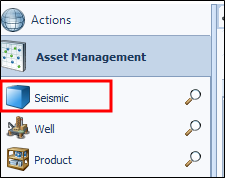
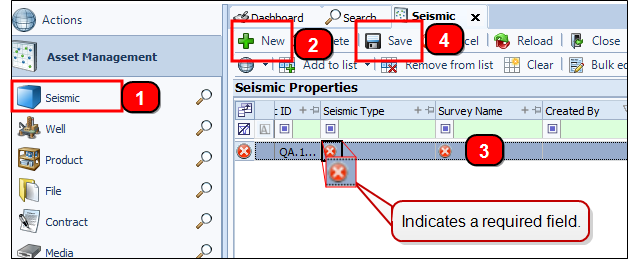
Click Seismic in the Navigation panel to open the module.
-
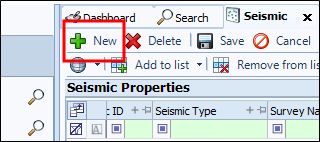
Click New and a new row displays in the grid.
 Note:
Note:The system will auto-generate a Seismic ID.
-
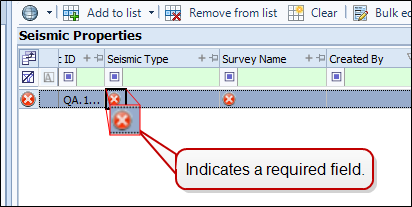
Enter the relevant details in the fields for each column. A red x
 indicates required field.
 Note:
Note:Hover over the
to display correction instructions. Correct all errors before saving. -
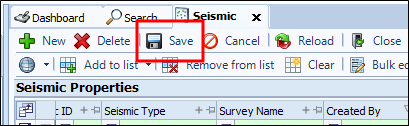
Click Save.
To manually add new seismic to Exploration Archives:
-
Click Seismic in the Navigation panel to open the module.
-
Click New and a new row displays in the grid.
Note:The system will auto-generate a Seismic ID.
-
Enter the relevant details in the fields for each column. A red x
indicates required field.Note:Hover over the
to display correction instructions. Correct all errors before saving. -
Click Save.